Move-out permits — clearance and final approval
Workflow at a glance
Tenant submits → Leasing clears agreements/documents AND Finance clears financial obligations → Management approves → Security views the final permit.
Leasing and Finance can clear in either order. Both are required before Management's final approval. This workflow currently covers tenant-submitted Move out requests; do not assume a separate move-in permit workflow is implemented.
Tenant: submit the request
- Open Move permits in the tenant portal.
- Check the displayed tenancy. If the screen offers more than one eligible tenancy, confirm the intended one; do not select an unrelated unit.
- Enter Planned move date and useful notes, such as access or moving arrangements.
- Select Submit move-out request.
- Track the request and read any rejection reason. Do not treat submission as permission to move.
Only the tenant submits this request. Security and property management do not create it on the tenant's behalf.
Leasing: check agreements
Open the permit list, expand the request, confirm the correct tenant/unit and review agreements and required documents. Approve leasing clearance if complete; otherwise reject and write a clear reason describing what must be corrected.
Finance: check settlement
Review invoices, payments, deposits and other financial obligations using the company's settlement process. Approve Finance clearance when satisfied, or reject with a reason. This is a human financial review, not an automatic assertion that every account balance is zero and not a payment/refund transaction.
Management: final permission
In the property context, open Permits / Move-out approval inbox. Review all requests or filter by status. Read both departmental clearances and notes. Give final approval only when both are approved. The software blocks a premature management approval.
Security: inspect the permit
Use Permits in the Security workspace to confirm the correct tenant, property/unit, planned date and final Approved status. Check that all three clearances are recorded. Pending departmental clearance is not a permit. Follow the property's physical move-out checks separately.
Rejections and follow-up
A rejection requires a note. The tenant should correct the underlying issue and submit a new request once resolved. Do not repeatedly submit duplicate pending requests. If a screen says the record changed, refresh and re-read the latest decisions.
What approval does not do
A permit does not automatically terminate the lease, refund deposits, mark the unit vacant, close maintenance work or record a physical exit. Leasing, Finance and Security must finish those operational steps separately. The permit records permission and its approval history.
Where to click
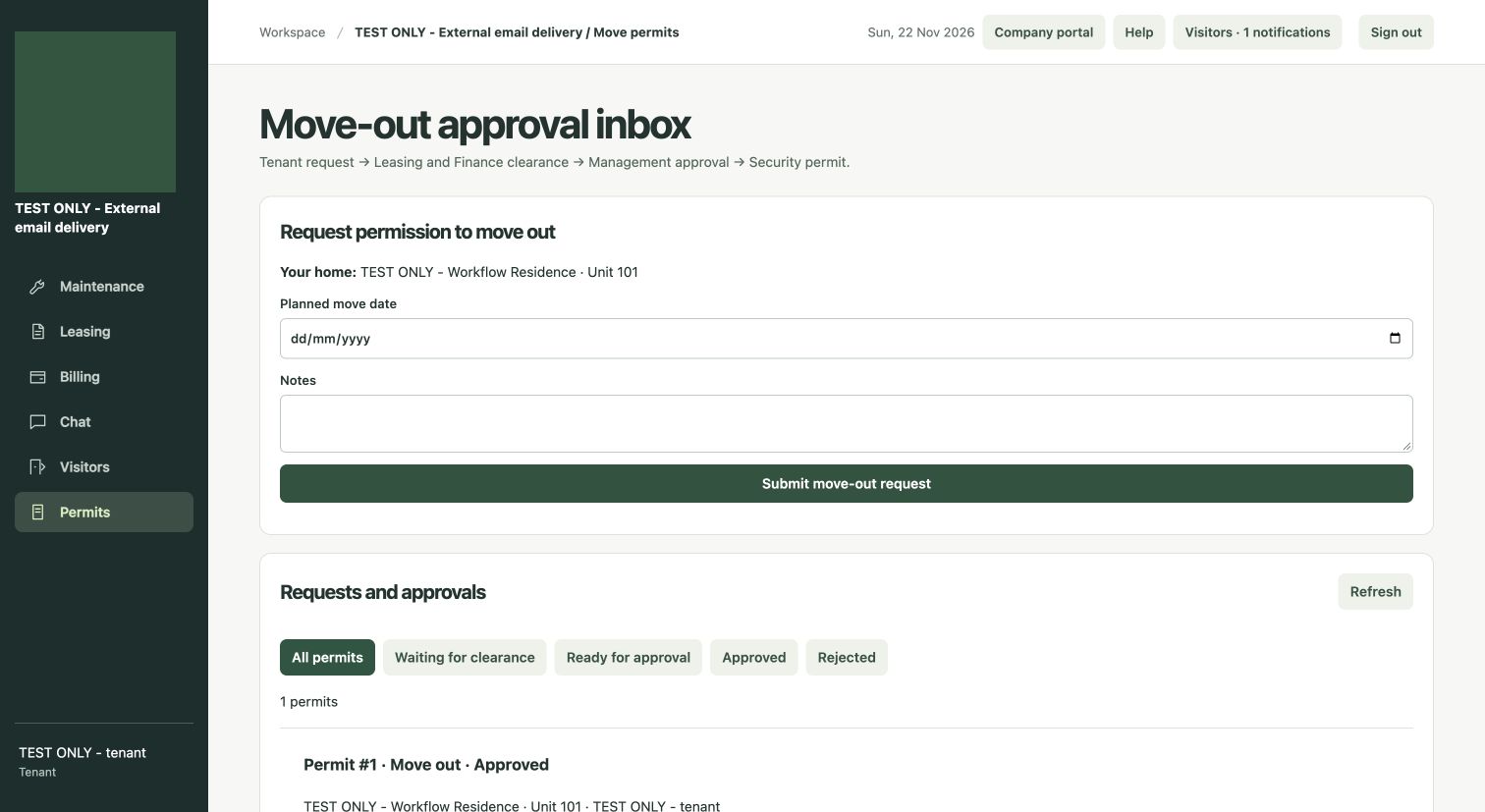
- Permits — Open your move-out requests.
- Submit move-out request — After entering the move date and notes, submit for Leasing and Finance clearance.
Click the image to enlarge. Example screen from a synthetic test company; available actions depend on your role and record status.